
Amazon Firestick vs ONN Side by Side Review Cost Benefits Pros Cons and Customer Reviews
Picking a cheap streaming device sounds easy until you’re staring at a shelf full of tiny black sticks and boxes that all promise the same thing: Netflix, YouTube, Prime Video, Disney+, live TV apps, and a cleaner way to ditch cable.
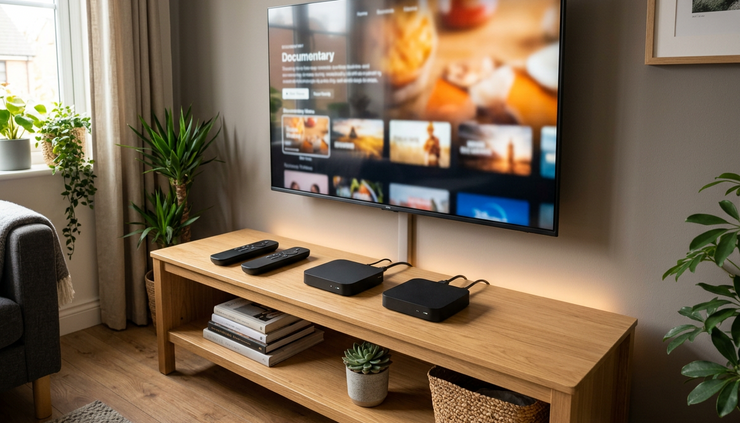
The two budget names that come up a lot are the Amazon Fire TV Stick and the onn. streaming device from Walmart. Both can turn a regular TV into a smart TV. Both are small, affordable, and easy enough for most people to set up in a few minutes. But they feel different once you start using them every day.
Here’s a casual, side-by-side review of the Amazon Firestick vs ONN, including cost, benefits, pros and cons, and what buyers tend to say in customer reviews.
Quick verdict
If you want the short version, here it is.
The Amazon Fire TV Stick is the better pick if you already use Amazon Prime, Alexa, Ring cameras, or other Amazon services. It is polished, widely supported, and easy to recommend for casual streaming.
The onn. streaming device is the better pick if you want a very low-cost Google TV experience, prefer a cleaner app-first layout, or use Google services more than Amazon services. It gives a lot for the money, especially if you are shopping at Walmart and want something simple.
Neither one is perfect. Fire TV can feel heavy on Amazon content and ads. onn. can feel more basic, and long-term performance can depend on the model you buy. But for the price, both are solid options.
Side-by-side comparison
Prices change often, especially during sales, so treat these as general ranges rather than fixed numbers.
Feature | Amazon Fire TV Stick | onn. Streaming Device |
Typical cost | Often around $20 to $60 depending on model and sale | Often around $20 to $50 depending on model |
Platform | Fire TV | Google TV or Android TV, depending on model |
Best for | Prime Video users, Alexa users, Amazon households | Google users, YouTube users, budget shoppers |
Voice assistant | Alexa | Google Assistant on most current models |
App selection | Very strong | Strong |
Interface feel | Amazon-focused, content-heavy | Google-focused, app and recommendation-driven |
Remote | Simple, usually includes Alexa button | Simple, often includes app shortcut buttons |
Setup difficulty | Easy | Easy |
Main drawback | Ads and Amazon content can feel pushy | Build and speed can feel more budget-level |
Best overall value | Great when on sale | Great for the lowest upfront cost |
Both devices support the big streaming apps most people care about. That includes services like Netflix, Hulu, Disney+, Max, YouTube, Paramount+, Peacock, Spotify, and many live TV apps. App availability can change, but these platforms are generally well covered.
Cost and value
Cost is one of the biggest reasons people compare these two.
Amazon Fire TV Stick pricing
Amazon sells several Fire TV devices, so the price depends on which one you choose. The basic Fire TV Stick models are usually budget-friendly, while 4K and 4K Max versions cost more. The good news is that Amazon discounts Fire TV devices often, especially around major shopping events.
That makes the Firestick a strong value if you catch it on sale. A discounted 4K model can be a very good buy for a living room TV, especially if your TV supports 4K HDR.
onn. pricing
The onn. streaming devices are known for low pricing. Walmart has positioned them as simple, affordable streaming options. In many cases, the lower-cost onn. models are among the cheapest ways to add Google TV or Android TV to a television.
That low price is the biggest appeal. If you are setting up a guest room TV, kids’ room TV, garage TV, or older bedroom TV, onn. gives you a lot without spending much.
Which one gives better value?
For pure lowest price, onn. usually wins.
For better polish, brand support, and smoother integration with a larger smart home system, Fire TV often feels like the safer buy.
The best deal is the one that matches how you already watch TV. If Prime Video is your main app, Fire TV makes sense. If YouTube and Google services are your daily go-to apps, onn. may feel more natural.

Benefits of the Amazon Fire TV Stick
The Fire TV Stick feels like a mature product. Amazon has been making these for years, and it shows in the setup, app support, and remote experience.
The biggest benefit is convenience. Sign in with your Amazon account, connect to Wi-Fi, download your apps, and you are ready to watch. If you already have Prime Video, Fire TV puts that content front and center.
Alexa is another strong point. You can press the voice button and ask for shows, open apps, check the weather, or control compatible smart home devices. If you have Alexa speakers or Ring cameras, Fire TV fits nicely into that setup.
Fire TV devices also come in several versions. That gives you room to choose based on your TV.
Common options include:
Basic HD models for older TVs
4K models for newer TVs
Faster premium models for people who want better performance
Fire TV Cube for more advanced voice control and speed
The app selection is also very good. Most major services work well, and Fire TV is popular enough that app developers usually support it.
Amazon Fire TV Stick pros
Easy setup
Most people can get it running quickly, even without much tech experience.
Great for Prime Video
Amazon content is easy to find, rent, buy, and watch.
Strong Alexa support
Voice search and smart home control are useful if you already use Alexa.
Good app library
The major streaming apps are usually available and easy to install.
Frequent discounts
Fire TV devices often become much more attractive during sales.
Amazon Fire TV Stick cons
The home screen can feel busy
Amazon promotes its own content heavily. Some people like that. Others find it cluttered.
Ads are noticeable
The interface often includes sponsored content and recommendations.
Storage can fill up
If you install lots of apps, some models may run low on space.
Best experience favors Amazon users
If you do not use Prime Video, Alexa, or Amazon services, part of the appeal disappears.
Benefits of the onn. streaming device
The onn. streaming device is all about value. It is not trying to feel premium. It is trying to make streaming cheap and easy.
The biggest benefit is getting Google TV or Android TV at a low price. That means easy access to YouTube, Google Assistant, Google Play apps, and a recommendation system that pulls from different streaming services.
The interface tends to feel less Amazon-centered because, of course, it is not built around Amazon. If you prefer browsing apps and recommendations without Prime Video taking over the screen, onn. might feel more comfortable.
It is also a nice pick for someone who wants a basic streamer without overthinking it. Buy it, plug it in, sign in, and watch.
onn. pros
Very affordable
onn. is one of the strongest choices if price is your main concern.
Good Google TV experience
Current models give you access to a familiar Google-style streaming layout.
Great for YouTube users
YouTube and Google services feel right at home.
Simple to use
The remote and menus are easy enough for daily streaming.
Good secondary TV option
It makes sense for bedrooms, guest rooms, dorms, and older TVs.
onn. cons
Performance can feel basic
Budget hardware may not feel as fast as more expensive streaming devices.
Build quality is not fancy
It works, but it does not feel premium.
Fewer model choices
Amazon gives you more versions to pick from.
Support may not feel as broad
Fire TV has a larger ecosystem and a longer track record.

Performance and everyday use
This is where small differences start to matter.
The Fire TV Stick usually feels polished. Menus are smooth enough, voice search works well, and apps launch reliably. The better Fire TV models, especially 4K and higher-end versions, tend to feel faster than the cheapest model.
The onn. device is usually good enough for normal streaming. Open Netflix, watch YouTube, play Disney+, and it does the job. But because it is built to hit a low price, it may not feel as quick when switching apps, loading menus, or handling heavier apps.
For casual use, both are fine. If you watch one or two apps most of the time, the difference may not bother you. If you jump between apps constantly, use voice search a lot, or hate lag, Fire TV may feel better, especially a newer 4K model.
Picture and sound quality
Picture quality depends on the model you buy and the TV you own.
If you have a regular HD TV, a basic streaming stick is enough. Paying extra for 4K does not help much unless you plan to upgrade your TV later.
If you have a 4K TV, buy a 4K-capable device. Both Amazon and onn. have offered 4K streaming options, and those are the models to look at for a main living room TV.
Also check HDR and audio format support if you care about home theater features. Many casual viewers do not need to worry too much about this. But if you have a nicer TV or soundbar, the exact model matters.
The simple rule is this:
If your TV is | Best choice |
Older 1080p TV | Basic Fire TV Stick or basic onn. device |
4K TV | 4K Fire TV Stick or 4K onn. device |
Main living room TV | Spend a little more for better speed |
Guest room TV | Save money with the cheaper option |
Interface and ads
This may be the biggest daily difference.
Fire TV puts Amazon content right in front of you. Prime Video, Freevee-style content, rentals, and Amazon recommendations are a big part of the home screen. If you use Amazon often, this can feel helpful. If you mostly use Netflix, YouTube, or Hulu, it can feel like extra noise.
onn. devices with Google TV focus more on Google’s recommendation style. You still get promoted content and suggestions, but the overall vibe is different. It feels more connected to Google search, YouTube, and your installed apps.
Neither platform is completely ad-free. That is just the reality of budget streaming devices now. If you want a cleaner interface, you may need to pay more for a higher-end streaming box from another brand. But between these two, many people find onn. a bit less Amazon-heavy because it is not built around selling Amazon content.
Customer reviews and common complaints
Customer reviews for both devices usually follow a pretty clear pattern.
What buyers like about the Fire TV Stick
Many buyers praise the Firestick for being easy to install and reliable for everyday streaming. People also like the Alexa remote, especially for searching across apps without typing show names one letter at a time.
Common positive comments include:
Setup is quick
Apps are easy to find
Voice search is handy
It works well with Prime Video
Sale prices make it a strong deal
Common complaints include:
Too many ads
Too much Amazon content on the home screen
Occasional lag on cheaper models
Limited storage after installing several apps
What buyers like about onn.
onn. reviews often focus on price. A lot of buyers are surprised by how much it does for the money. People buying it for a spare TV tend to be especially happy because expectations are realistic.
Common positive comments include:
Very low cost
Good picture for the price
Google TV is easy to use
YouTube works well
Great for secondary TVs
Common complaints include:
Not always as fast as pricier devices
Remote quality can feel basic
Some users report occasional glitches
Long-term updates may be a concern for cautious buyers
A good way to read reviews is to separate normal budget-product complaints from real dealbreakers. A $20 to $30 streaming device will not feel like a premium box. But if it plays your shows smoothly, that may be all you need.

Which one should you buy?
Choose the Amazon Fire TV Stick if:
You use Prime Video a lot
You already like Alexa
You want a more established streaming device
You find a good sale price
You want more model choices
Choose the onn. streaming device if:
You want to spend as little as possible
You prefer Google TV
You watch lots of YouTube
You need a device for a spare TV
You want simple streaming without paying extra
For most people, the decision is less about which device is “best” and more about which ecosystem feels less annoying. Amazon users will probably enjoy the Fire TV Stick more. Google users and bargain hunters may be happier with onn.
Final recommendation - Amazon Firestick vs ONN Side by Side Review
If I were buying one for the main TV in my living room, I would lean toward a
Fire TV Stick 4K model, especially if it was on sale. It has better polish, strong app support, and a long track record.
If I were buying one for a bedroom, guest room, or older TV, I would seriously consider the onn. streaming device. It is cheap, capable, and good enough for everyday streaming.
The best overall budget pick is onn. if cost matters most. The safest all-around pick is Fire TV if you want a smoother, more familiar experience. Either way, skip the cable box, plug one in, and start watching.
Where to Buy
For more information and to purchase, visit: www.the-product-nerd.com/homegoods
BUY AMAZON FIRESTICK DIRECTLY ON AMAZON:
BUY ONN DIRECTLY ON AMAZON:
The best overall budget pick is onn. if cost matters most. The safest all-around pick is Fire TV if you want a smoother, more familiar experience. Either way, skip the cable box, plug one in, and start watching.
Comments